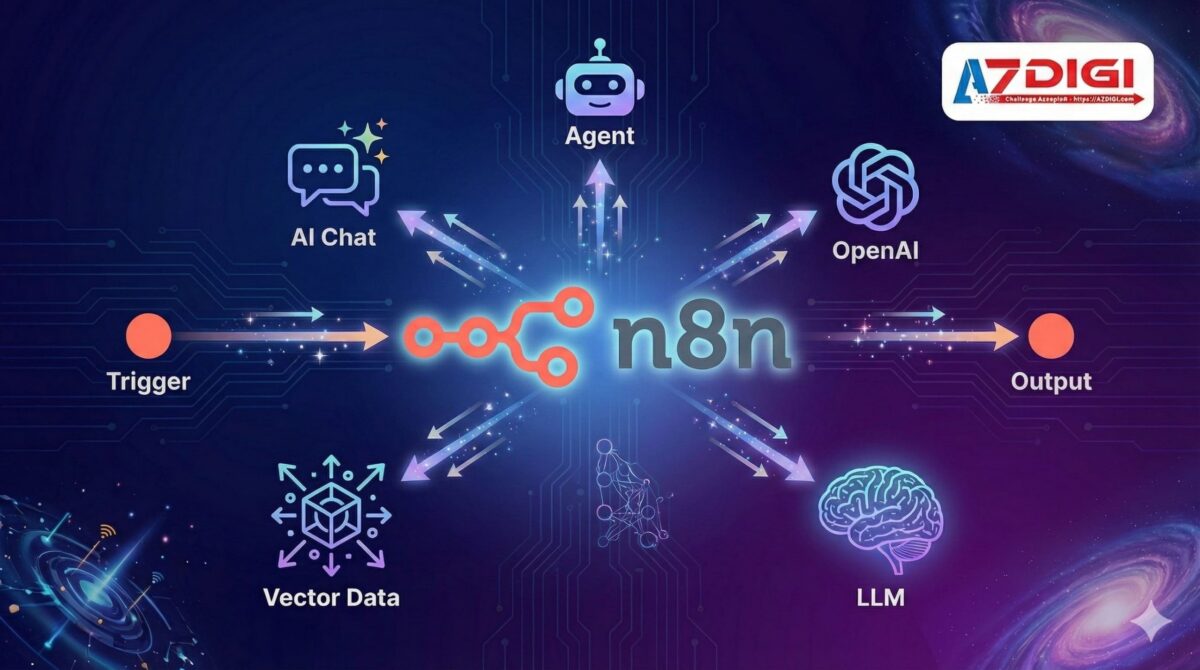
AI đang thay đổi cách chúng ta làm việc, và n8n là cầu nối để đưa sức mạnh AI vào mọi quy trình. Bài viết này hướng dẫn bạn tích hợp n8n với ChatGPT, Claude và các LLMs khác để xây dựng workflow thông minh – từ chatbot tự động trả lời, phân tích sentiment đến AI agents phức tạp.
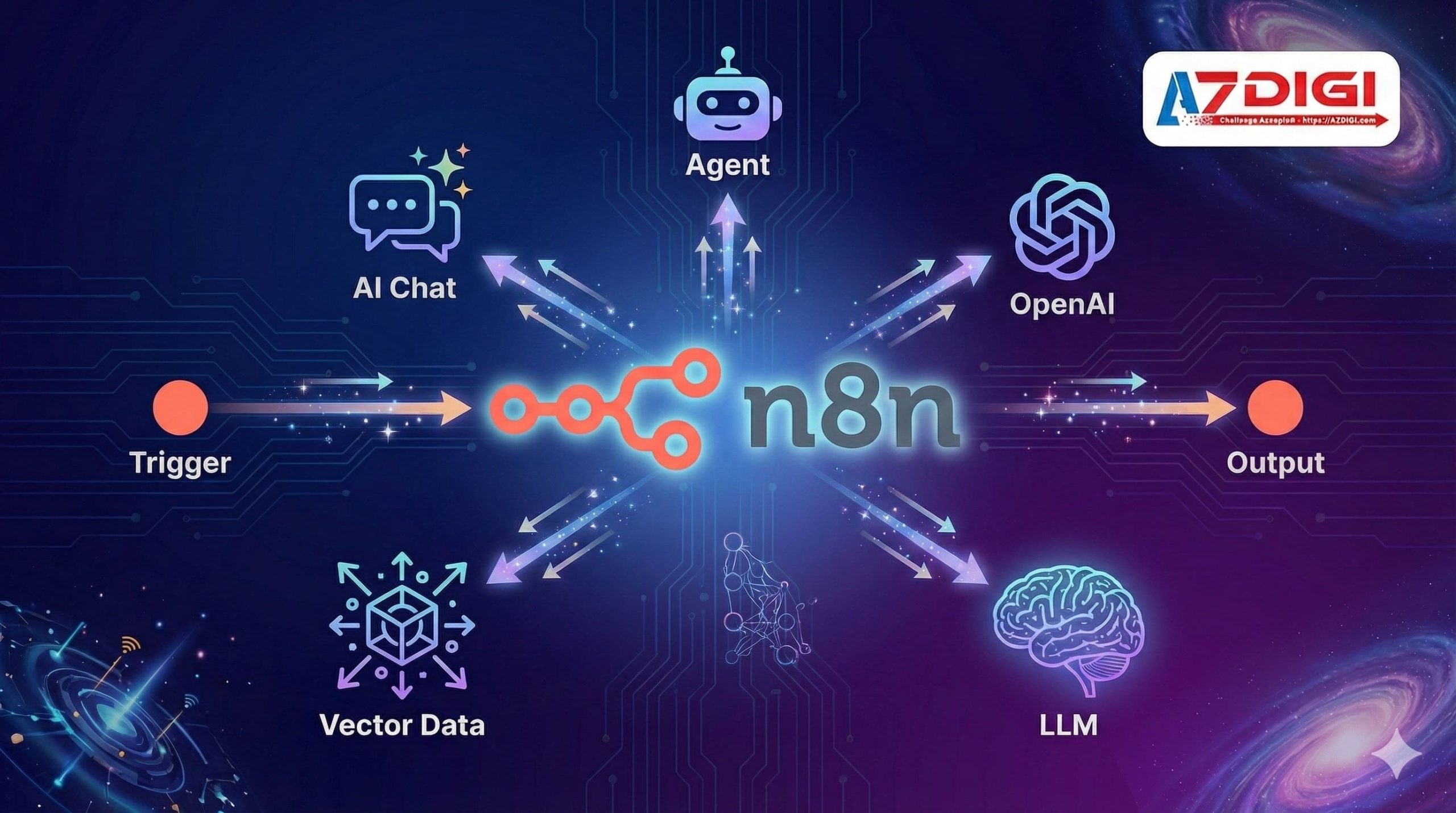
Xu hướng AI Automation 2026
AI và automation đang hội tụ mạnh mẽ trong năm 2026:
| Xu hướng | Mô tả | Ứng dụng n8n |
|---|---|---|
| AI-first Workflows | LLM là trung tâm của workflow | Chat nodes, AI Agents |
| RAG Applications | Truy vấn dữ liệu riêng với AI | Vector Store nodes |
| Autonomous Agents | AI tự quyết định hành động | Agent node, Tool calling |
| Natural Language Automation | Tạo workflow bằng lời nói | AI Workflow Builder |
| Multi-Agent Systems | Nhiều agents phối hợp làm việc | AI Agent Tool (mới) |
n8n đã tích hợp sâu với hệ sinh thái AI, biến nó thành nền tảng lý tưởng cho AI automation.
n8n kết hợp AI có thể làm những gì?
1. AI Workflow Builder (Beta – Ra mắt tháng 10/2025)
Tính năng đột phá cho phép tạo workflow bằng ngôn ngữ tự nhiên. (Nguồn: n8n Docs)
Input:
"Mỗi khi có email mới chứa từ 'hóa đơn', tải file đính kèm,
lưu vào Google Drive folder 'Invoices', và thông báo qua Slack"
Output: n8n tự động tạo workflow hoàn chỉnh với:
- Gmail Trigger (filter: subject contains “hóa đơn”)
- Google Drive (upload attachment)
- Slack (send notification)
Lưu ý quan trọng:
- Chỉ có trên n8n Cloud (Trial, Starter, Pro plans) – Enterprise và self-hosted sẽ có sau
- Sử dụng hệ thống credits:
- Trial: 20 credits/tháng
- Starter: 50 credits/tháng
- Pro: 150 credits/tháng
- Mỗi interaction = 1 credit
2. OpenAI / ChatGPT Integration
n8n có native nodes cho OpenAI:
| Node | Chức năng |
|---|---|
| OpenAI Chat | Gửi prompt, nhận response (GPT-4o, GPT-4.1, GPT-5) |
| OpenAI Image | Tạo ảnh với DALL-E |
| OpenAI Audio | Text-to-speech, Speech-to-text (Whisper) |
| OpenAI Embeddings | Vector embeddings cho RAG |
3. Các LLM Models được hỗ trợ
n8n hỗ trợ đa dạng các LLM providers:
| Provider | Models | Đặc điểm |
|---|---|---|
| OpenAI | GPT-4o, GPT-4.1, GPT-5, GPT-5-mini | Phổ biến nhất, mạnh mẽ |
| Anthropic | Claude 3.5 Sonnet, Claude Opus | Reasoning tốt |
| Gemini 2.0, Gemini 2.5 Pro | Free tier hào phóng | |
| Groq | LLaMA, Mixtral | Cực nhanh, free tier |
| DeepSeek | DeepSeek V3 | Giá rẻ, mới hỗ trợ |
| Ollama | Local models | Self-hosted, miễn phí |
4. AI Agents
n8n có node AI Agent cho phép LLM tự quyết định sử dụng tools nào:
Ví dụ: AI Agent được cấp quyền:
- Đọc Google Calendar
- Gửi email
- Tra cứu database
Khi user hỏi “Lịch họp ngày mai của tôi?”, Agent tự động:
- Gọi Google Calendar API
- Xử lý kết quả
- Trả lời bằng ngôn ngữ tự nhiên
Tính năng mới (2025):
- Real-time streaming: Agents phản hồi ngay trong khi xử lý
- Dynamic model selection: Tự động chọn model phù hợp cho từng task
- Multi-agent teams: Agent chính delegate tasks cho agents phụ
- Evaluation framework: Test và đánh giá agents trước khi deploy
(Nguồn: n8n Blog – Best Autonomous AI Agents)
5. Vector Store cho RAG
RAG (Retrieval-Augmented Generation) cho phép AI trả lời dựa trên dữ liệu riêng của bạn.
Vector Store nodes được hỗ trợ:
- Pinecone
- Qdrant
- Supabase
- PGVector (PostgreSQL)
- MongoDB Atlas
- Simple Vector Store (in-memory)
(Nguồn: n8n Docs – Pinecone Vector Store)
Workflow RAG:
Documents → Split text → Embeddings → Store in Pinecone/Qdrant
User query → Embeddings → Search similar → Context + Query → LLM → Response
Nodes cần dùng:
- Document Loader (PDF, Web, etc.)
- Text Splitter
- Embeddings (OpenAI, HuggingFace, Ollama)
- Vector Store (Pinecone, Qdrant, Supabase, PGVector)
- LLM Chat
Demo 1: Chatbot trả lời email tự động
Use case: Tự động đọc email mới, phân loại và draft reply.
Workflow:
Email Trigger → OpenAI (classify intent) → Switch:
  → [billing] → Draft billing response → Send draft
  → [support] → Draft support response → Send draft
  → [sales] → Forward to Sales team
  → [spam] → Archive
OpenAI prompt cho classify:
Phân tích email sau và xác định intent:
- billing: câu hỏi về hóa đơn, thanh toán
- support: yêu cầu hỗ trợ kỹ thuật
- sales: quan tâm mua hàng, báo giá
- spam: quảng cáo, không liên quan
Email:
{{$json.body}}
Trả lời JSON: {"intent": "...", "confidence": 0.0-1.0, "summary": "..."}
OpenAI prompt cho draft response:
Bạn là nhân viên support của công ty AZDIGI.
Viết email phản hồi chuyên nghiệp, thân thiện cho yêu cầu sau:
{{$json.summary}}
Yêu cầu:
- Ngắn gọn, dễ hiểu
- Tiếng Việt
- Đề xuất giải pháp hoặc next steps
- Sign off: "Trân trọng, Đội ngũ AZDIGI"
Kết quả: 90% emails được draft tự động, chỉ cần review và send.
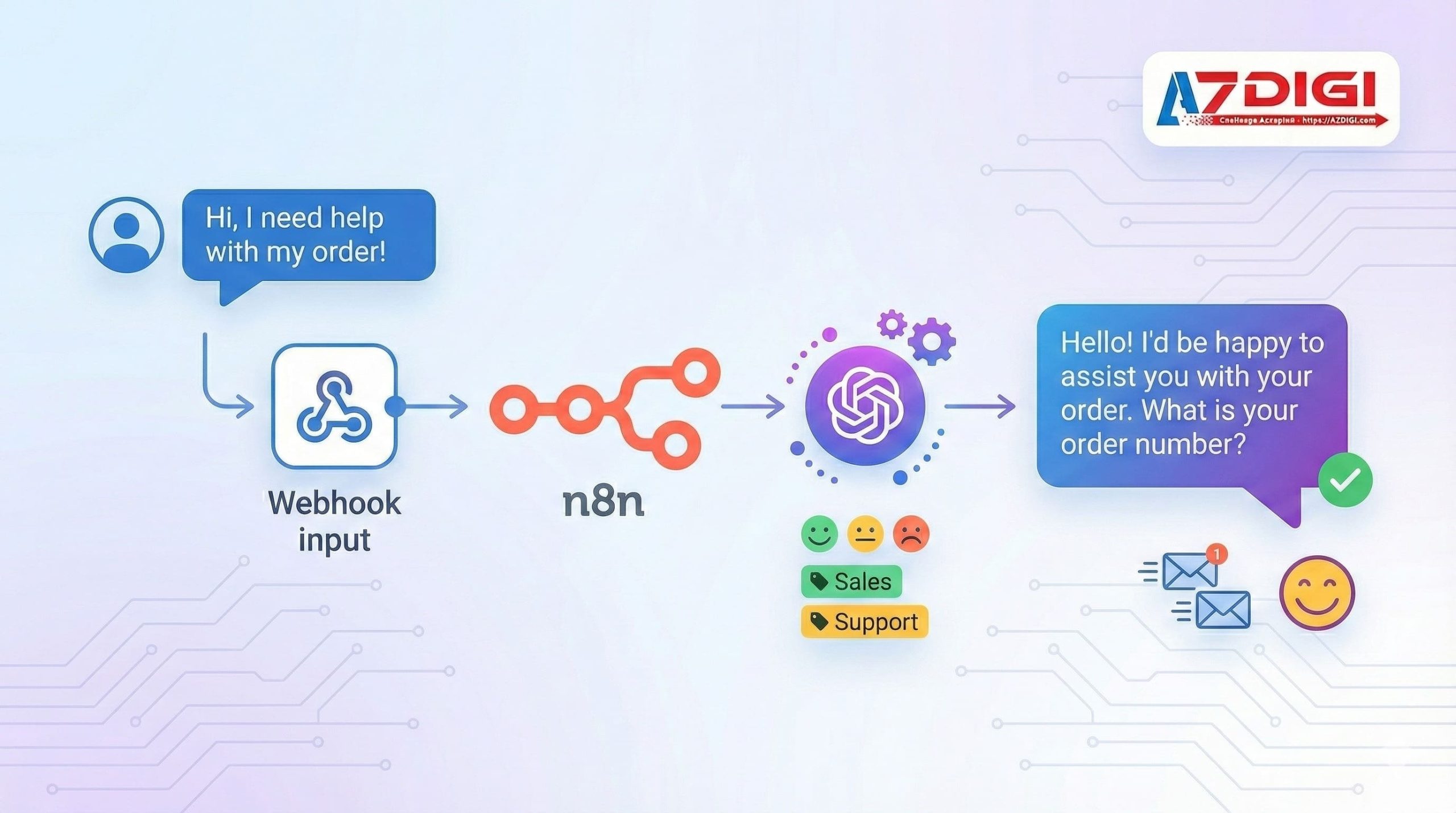
Demo 2: Phân tích sentiment từ feedback
Use case: Thu thập phản hồi khách hàng, phân tích sentiment, cảnh báo ngay khi có dấu hiệu tiêu cực.
Workflow:
Google Forms Trigger → OpenAI (sentiment analysis) →
  IF negative → Urgent alert Telegram + Create ticket
  IF positive → Log to Sheets + Thank you email
Sentiment prompt:
Phân tích sentiment của feedback sau (tiếng Việt):
"{{$json.feedback}}"
Trả lời JSON:
{
  "sentiment": "positive|neutral|negative",
  "score": -1.0 to 1.0,
  "keywords": ["..."],
  "summary": "...",
  "action_required": true/false
}
Logic xử lý:
// Code node
const sentiment = $json.sentiment;
const score = $json.score;
if (sentiment === 'negative' && score < -0.5) {
  return { alert: true, priority: 'high' };
} else if (sentiment === 'negative') {
  return { alert: true, priority: 'medium' };
}
return { alert: false };
Demo 3: AI Agent với Tools
Use case: Tạo AI assistant có thể tra cứu database và thực hiện actions.
Setup AI Agent node:
System prompt:
Bạn là trợ lý của công ty XYZ. Bạn có thể:
1. Tra cứu thông tin sản phẩm (dùng tool: search_products)
2. Kiểm tra đơn hàng (dùng tool: check_order)
3. Tạo ticket hỗ trợ (dùng tool: create_ticket)
Khi không chắc chắn, hãy hỏi lại user.
Trả lời bằng tiếng Việt, thân thiện và chuyên nghiệp.
Tools definition:
// Tool: search_products
{
  name: "search_products",
  description: "Tìm kiếm sản phẩm theo tên hoặc category",
  parameters: {
    query: "string - từ khóa tìm kiếm"
  }
}
// Tool: check_order
{
  name: "check_order",
  description: "Kiểm tra trạng thái đơn hàng",
  parameters: {
    order_id: "string - mã đơn hàng"
  }
}
Workflow structure:
Webhook (user message) → AI Agent node:
  → [calls search_products] → HTTP Request (API) → Return to Agent
  → [calls check_order] → MySQL Query → Return to Agent
  → [final response] → HTTP Response to user
Hạn chế cần biết
1. AI Agent mất context
Vấn đề: Khi workflow kết thúc, AI Agent không nhớ conversation trước.
Giải pháp: Lưu conversation history vào database:
User message → Load history from DB → AI Agent (with history) → Save to DB → Response
Lưu ý: n8n có Memory nodes (Window Buffer Memory, Postgres Chat Memory, etc.) để giải quyết vấn đề này.
2. Latency cao
Vấn đề: API calls đến OpenAI/Claude mất 2-10 giây.
Giải pháp:
- Dùng streaming responses (tính năng mới 2025)
- Cache responses cho câu hỏi tương tự
- Chọn model nhỏ hơn (GPT-4.1-mini, GPT-5-mini) cho tasks đơn giản
- Dùng Groq cho inference cực nhanh
3. Cost management
Chi phí API OpenAI (cập nhật tháng 12/2025):
| Model | Input (per 1M tokens) | Output (per 1M tokens) | Ghi chú |
|---|---|---|---|
| GPT-5 | $1.25 | $10.00 | Mạnh nhất, cached input: $0.125 |
| GPT-5 Mini | $0.25 | $2.00 | Tốt cho tasks đơn giản |
| GPT-5 Nano | $0.05 | $0.40 | Rẻ nhất |
| GPT-4.1 | $2.00 | $8.00 | Batch API: 50% off |
| GPT-4o | $5.00 | $15.00 | Flagship multimodal |
| GPT-4o-mini | $0.60 | $2.40 | Budget option |
(Nguồn: OpenAI Pricing, IntuitionLabs Comparison)
Tips tiết kiệm:
- Dùng GPT-4.1-mini hoặc GPT-5-mini cho classification tasks
- Sử dụng Batch API (giảm 50%) cho tasks không cần real-time
- Enable prompt caching (giảm 90% input cost cho repeated prompts)
- Dùng Groq hoặc Gemini (có free tier) để prototype
4. Hallucination
Vấn đề: AI có thể tạo thông tin sai.
Giải pháp:
- Dùng RAG để ground AI trong data thực, hoặc tạo bộ kiến thức nội bộ cho agent đọc trước khi tạo ra phản hồi
- Thêm validation logic sau AI response
- Human-in-the-loop cho decisions quan trọng
- Sử dụng Evaluation framework của n8n để test agents
Chi phí API khi dùng AI với n8n
Ước tính chi phí hàng tháng (cập nhật 2025):
| Use case | Requests/tháng | Model | Chi phí ước tính |
|---|---|---|---|
| Email classifier | 1000 | GPT-4.1-mini | ~$0.50 |
| Chatbot support | 5000 | GPT-4o | ~$5-10 |
| Document Q&A (RAG) | 2000 | GPT-5 | ~$5-8 |
| AI Agent complex | 1000 | GPT-5 | ~$3-5 |
Lựa chọn tiết kiệm:
| Use case | Model thay thế | Chi phí |
|---|---|---|
| Email classifier | Gemini 2.0 Flash | Free (giới hạn) |
| Chatbot đơn giản | Groq LLaMA | Free tier |
| Prototype | Ollama (local) | $0 (chỉ tốn server) |
Tổng chi phí SMB: $10-30/tháng cho AI, cộng với chi phí n8n:
- Self-hosted VPS: ~79.000đ/tháng (AZDIGI X-Platinum VPS)
- n8n Cloud: $20-50/tháng
Một số kinh nghiệm khi tạo workflow n8n
1. Trả về dữ liệu có cấu trúc
Yêu cầu AI trả về dạng dữ liệu có cấu trúc (ví dụ như JSON) để dễ xử lý ở các bước sau:
Trả lời ONLY JSON, không text khác:
{"intent": "...", "entities": [...]}
2. Prompt versioning
Lưu prompts trong Google Sheets hoặc database để dễ update:
Sheets (prompt templates) → Code node (get latest) → OpenAI
3. Luôn có hành động dự phòng (fallback)
Khi tạo workflow, nên luôn có các hành động dự phòng để thực hiện trường hợp hành động chính không hoạt động như mong muốn:
OpenAI → IF success → Continue
       → IF error → Retry 3 times → Manual queue
Hoặc sử dụng dynamic model selection:
Primary (GPT-5) → IF error/timeout → Fallback (GPT-4.1-mini) → Continue
4. Rate limiting
Khi loop nhiều items:
Split In Batches (10) → OpenAI → Wait 1 second → Next batch
5. Testing với Evaluation Framework (Mới)
n8n cung cấp công cụ đánh giá agents trước khi deploy:
- Test với nhiều scenarios
- Đo lường performance
- So sánh giữa các model/prompt versions
Kết luận
n8n + AI mở ra vô vàn khả năng tự động hóa thông minh như:
| Ứng dụng | Complexity | ROI |
|---|---|---|
| Email auto-reply | Medium | Tiết kiệm 2-3h/ngày |
| Sentiment analysis | Easy | Phát hiện issues nhanh |
| AI chatbot | Advanced | 24/7 support |
| Document Q&A | Advanced | Knowledge base instant |
| AI Agents | Expert | Full automation |
| Multi-Agent Teams | Expert | Complex workflows |
Key takeaways:
- n8n có native support cho OpenAI, Claude, Gemini, Groq, DeepSeek, LangChain
- AI Workflow Builder (Beta) giúp tạo workflow bằng tiếng Việt – chỉ trên n8n Cloud
- Giá API đã giảm đáng kể (GPT-5 rẻ hơn GPT-4 với performance tốt hơn)
- Cần quản lý chi phí API và handle limitations
- Bắt đầu từ use cases đơn giản, scale dần
Bước tiếp theo:
- Cài đặt n8n nếu chưa có
- Đăng ký OpenAI API key tại platform.openai.com
- Hoặc dùng free tier: Google AI Studio (Gemini), Groq Cloud
- Thử tạo email classifier workflow đầu tiên
- Tham khảo Top 10 Workflow n8n
Nếu bạn cần VPS mạnh để chạy n8n với AI workflows, AZDIGI cung cấp X-Platinum VPS với cấu hình cao và hỗ trợ kỹ thuật 24/7.
Có thể bạn cần xem thêm
- n8n + Ollama - Tự động hóa workflow với AI chạy trên VPS riêng
- n8n là gì? Hướng dẫn toàn diện về tự động hoá với n8n
- Generative AI: công nghệ đứng sau ChatGPT, Gemini và làn sóng AI tạo sinh
- Top 10 ý tưởng workflow n8n cho doanh nghiệp Việt Nam
- Cài đặt Dify AI trên VPS - No-code AI platform miễn phí
- CrewAI là gì? Hướng dẫn xây dựng hệ thống Multi-Agent AI với Python
Về tác giả

Thạch Phạm
Đồng sáng lập và Giám đốc điều hành của AZDIGI. Có hơn 15 năm kinh nghiệm trong phổ biến kiến thức liên quan đến WordPress tại thachpham.com, phát triển website và phát triển hệ thống.