Sau static sites, bước tiếp theo là deploy backend applications: Node.js, Python, PHP. Coolify hỗ trợ tất cả qua Nixpacks hoặc Dockerfile, kèm environment variables, health checks và persistent storage.
📖 Bài trước: Phần 5, Deploy Static Site & SPA
I. Deploy Node.js Application
Express.js App
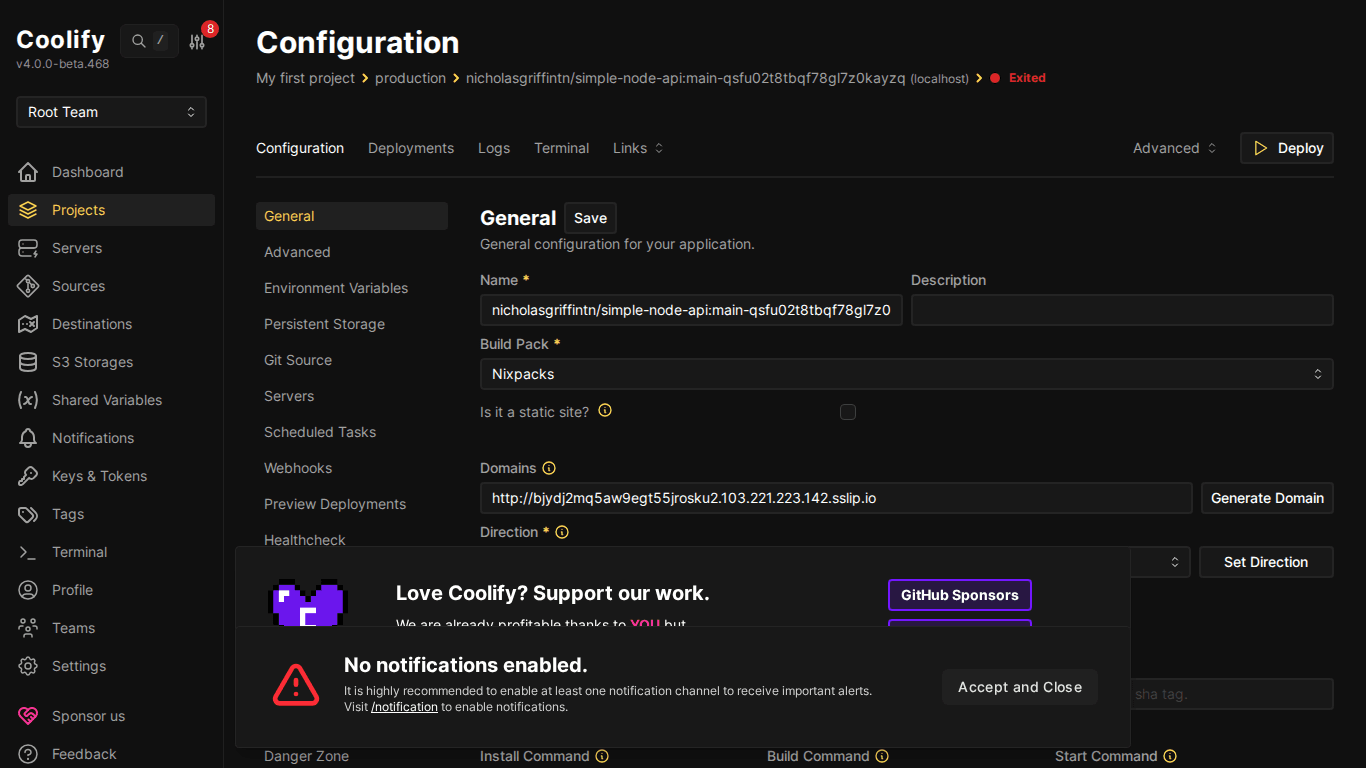
Tạo resource mới → Public Repository → paste URL repo Node.js. Nixpacks tự detect từ package.json.
Ví dụ package.json tối thiểu:
{
  "name": "my-api",
  "scripts": {
    "start": "node index.js",
    "build": "echo 'no build needed'"
  },
  "dependencies": {
    "express": "^4.18.0"
  }
}
Và index.js:
const express = require('express');
const app = express();
const PORT = process.env.PORT || 3000;
app.get('/', (req, res) => {
  res.json({ message: 'Hello from Coolify!', time: new Date() });
});
app.get('/health', (req, res) => {
  res.status(200).json({ status: 'ok' });
});
app.listen(PORT, '0.0.0.0', () => {
  console.log(`Server running on port ${PORT}`);
});
⚠️ App phải listen trên 0.0.0.0 (không phải localhost hay 127.0.0.1), Docker containers cần bind tất cả interfaces để traffic từ proxy vào được.
Cấu hình quan trọng
- Ports Exposes: Port app listen (VD: 3000). Nixpacks thường tự detect
- Start Command:
npm start(từ package.json scripts.start) - Environment Variables: Thêm trong tab “Environment Variables”:
NODE_ENV=production, database URLs, API keys…
II. Deploy Python Application
Flask App
Nixpacks detect Python từ requirements.txt hoặc Pipfile.
# app.py
from flask import Flask, jsonify
app = Flask(__name__)
@app.route('/')
def home():
    return jsonify({"message": "Hello from Flask on Coolify!"})
@app.route('/health')
def health():
    return jsonify({"status": "ok"})
if __name__ == '__main__':
    app.run(host='0.0.0.0', port=int(os.environ.get('PORT', 5000)))
# requirements.txt
flask==3.0.0
gunicorn==21.2.0💡 Dùng gunicorn cho production thay vì Flask dev server. Nixpacks tự detect gunicorn trong requirements.txt và dùng làm start command: gunicorn app:app.
Django App
Django cần thêm vài config:
ALLOWED_HOSTS = ['*']hoặc domain cụ thể trong settings.pySTATIC_ROOTvà chạycollectstatictrong build command- Database URL qua environment variable (
DATABASE_URL)
III. Deploy PHP Application (Laravel)
Nixpacks hỗ trợ PHP và Laravel natively. Detect từ composer.json.
# Nixpacks tự chạy:
composer install --no-dev --optimize-autoloader
php artisan config:cache
php artisan route:cache
php artisan view:cache
Cần cấu hình:
- Environment variables:
APP_KEY,APP_URL,DB_* - Persistent storage cho
/storagedirectory - Queue worker (nếu dùng): tạo thêm resource riêng cho
php artisan queue:work
IV. Build Packs – So sánh
| Build Pack | Khi nào dùng | Ưu điểm | Nhược điểm |
|---|---|---|---|
| Nixpacks | Hầu hết apps | Tự detect, zero config | Đôi khi detect sai version |
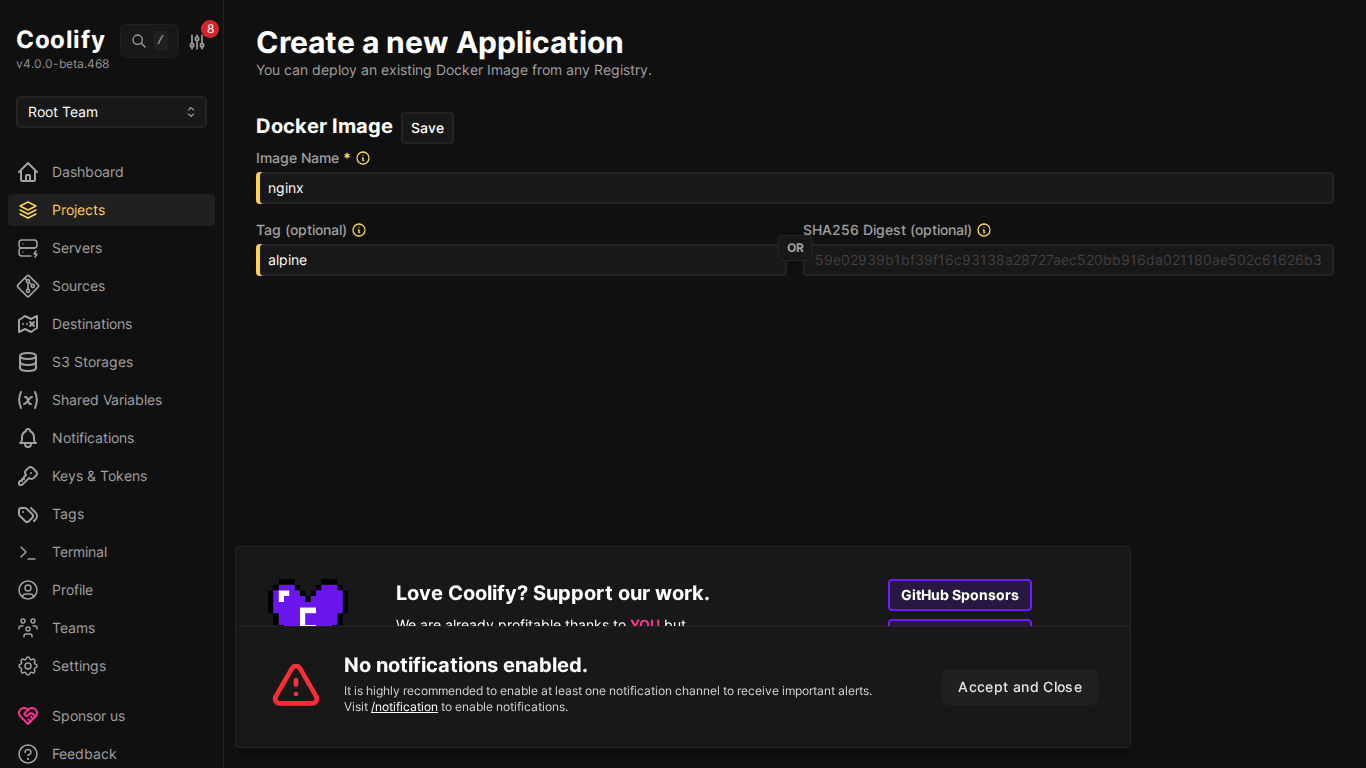
| Dockerfile | Custom build process | Kiểm soát hoàn toàn | Phải viết Dockerfile |
| Docker Image | Image có sẵn trên registry | Nhanh, không build | Phải tự build image |
| Docker Compose | Multi-container apps | Nhiều services cùng lúc | Config phức tạp hơn |
V. Environment Variables
Mỗi resource có tab “Environment Variables”: thêm key-value pairs:
# Ví dụ environment variables
NODE_ENV=production
DATABASE_URL=postgresql://user:pass@db:5432/mydb
REDIS_URL=redis://redis:6379
API_KEY=sk-xxx
PORT=3000
ℹ️ Variables có thể reference đến database khác trong cùng Coolify instance. Khi tạo database, Coolify cung cấp internal connection string dùng Docker network, không cần expose port ra ngoài.
VI. Health Checks
Health checks giúp Coolify biết app có đang chạy đúng không:
- Cấu hình trong resource → Health Check tab
- Set Health Check Path:
/healthhoặc/api/health - Coolify gọi endpoint này định kỳ: nếu không trả 200, container được restart
- Hữu ích cho zero-downtime deployment: container mới phải healthy trước khi tắt container cũ
VII. Persistent Storage
Mặc định, data trong container bị mất khi restart. Dùng Persistent Storage cho data cần giữ:
- Vào resource → tab “Storages”
- Thêm mount: Source (path trên host) → Destination (path trong container)
- Ví dụ:
/data/uploads→/app/uploads
⚠️ Volumes gắn vào server cụ thể, nếu chuyển app sang server khác, data không tự migrate. Backup trước khi migrate!
VIII. Tổng kết
Deploy backend apps trên Coolify đơn giản như frontend, Nixpacks xử lý hầu hết tự động. Điểm quan trọng: app bind 0.0.0.0, set environment variables, và dùng health checks cho production. Bài tiếp theo: Docker Compose cho ứng dụng phức tạp.
Có thể bạn cần xem thêm
- Deploy ứng dụng đầu tiên lên Coolify - Static Site & React/Vue SPA
- Deploy Docker Compose trên Coolify - Ứng dụng phức tạp multi-container
- Deploy ứng dụng Node.js / Python với Docker Compose
- Giao diện Coolify- Hướng dẫn sử dụng Dashboard chi tiết
- Database trên Coolify — MySQL, PostgreSQL, Redis, MongoDB
- Coolify Production - Backup, bảo mật
Về tác giả

Thạch Phạm
Đồng sáng lập và Giám đốc điều hành của AZDIGI. Có hơn 15 năm kinh nghiệm trong phổ biến kiến thức liên quan đến WordPress tại thachpham.com, phát triển website và phát triển hệ thống.